Mobile Printing: Print from Anywhere
Mobile Printing: Print from Anywhere
Your team isn't always sitting at a desktop computer anymore, and increasingly, neither is the need to print. Mobile printing has gone from a nice-to-have to a genuine productivity feature for businesses whose employees work across locations, sites, or simply move around the office throughout the day.
How Mobile Printing Works
Mobile printing lets employees send documents directly from a smartphone or tablet to a networked printer, either through a manufacturer's app, a standard like AirPrint or Mopria, or a cloud printing service. No cables, no desktop computer required, no waiting to get back to your desk.
Who Benefits Most
Sales teams printing proposals right before a client meeting, field technicians who need a work order on-site, and executives moving between meetings all benefit from being able to print without returning to a fixed workstation. Even in a traditional office, mobile printing simply removes friction from everyday tasks.
Security Considerations
Mobile printing should still respect the same security standards as any other print job — authentication, encryption, and secure release all apply. A properly configured mobile print setup doesn't trade convenience for risk.

Setting It Up Without Headaches
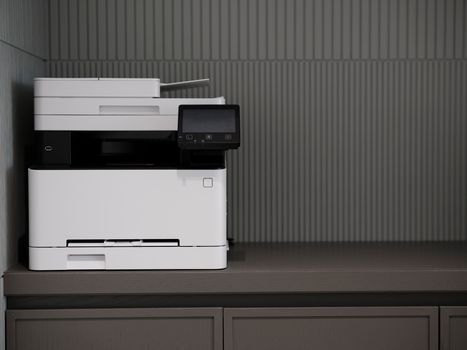
Most modern multifunction copiers support mobile printing standards out of the box. The main setup work involves ensuring your network configuration allows mobile devices to discover and connect to printers securely — something a knowledgeable provider can typically configure in a single visit.
A Real-World Example
A property management company covering multiple sites across Chicagoland needed field staff to print lease documents and inspection reports on the go. Setting up mobile printing meant staff could generate paperwork directly from their phone at a property visit rather than driving back to the office first — a meaningful time savings across dozens of site visits each week.
Frequently Asked Questions
Do I need special software to enable mobile printing? Many modern printers support built-in standards like AirPrint and Mopria that work without additional software, though a dedicated app can add more features.
Is mobile printing secure enough for sensitive documents? Yes, when configured with the same authentication and encryption standards as other network printing.
Can guests or visitors use mobile printing? This can be configured either way — some businesses open limited guest access, while others restrict mobile printing to authenticated employees only.
Let's Get Your Team Printing on the Go
If your team is tied to a desk just to print, it doesn't have to be that way. Contact Authentic Business Systems to set up mobile printing for your office.